As with one of my previous posts for Microsoft Lync Server 2010 where I documented the permissions for the databases created on the back-end server for a Lync Server 2013 pool:
Microsoft Lync Server 2010 Enterprise Pool SQL Database Permissions
http://terenceluk.blogspot.com/2011/01/microsoft-lync-server-2010-enterprise_31.html
… this post serves to do the same for the new Lync Server 2013.
Upon successfully deploying Lync Server 2013, the following databases are created:
- cpsdyn
- rgsconfig
- rgsdyn
- rtcab
- rtcshared
- rtcxds
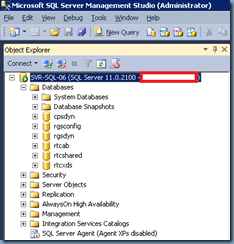
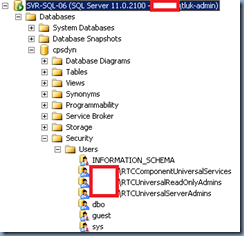
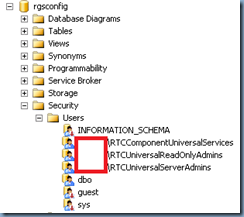
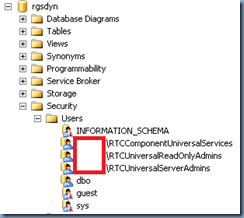
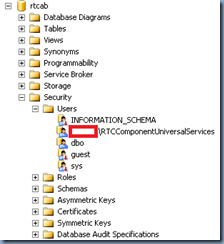
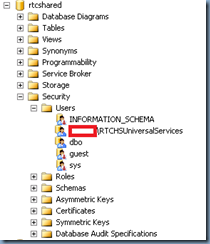
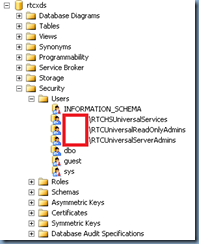
The following screenshots show the accounts assigned to these databases:
- cpsdyn
- rgsconfig
- rgsdyn
- rtcab
- rtcshared
- rtcxds
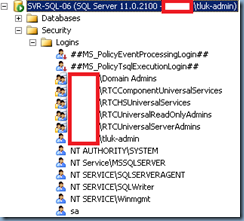
Logins
The following are logins created for the SQL server:
- RTCComponentUniversalServices
- RTCHSUniversalServices
- RTCUniveresalReadOnlyAdmins
- RTCUniversalServerAdmins
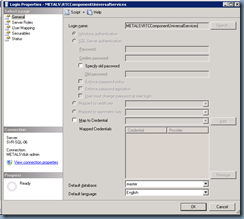
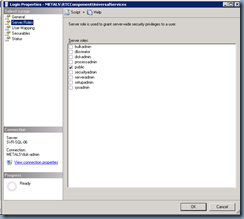
The method I usually use to do a quick audit of databases is actually to execute the stored procedure: sp_helplogins which will allow me to quickly have a look at which account has what permissions. With that being said, since there may be administrators reading this post who are not familiar with SQL, I will paste the screenshots for the properties of each login before I paste the table:
RTCComponentUniversalServices
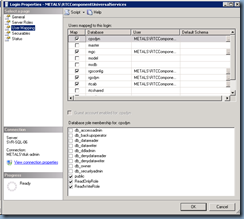
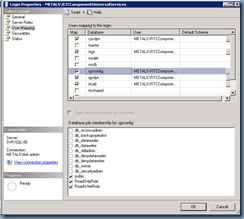
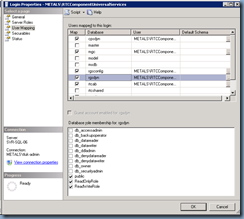
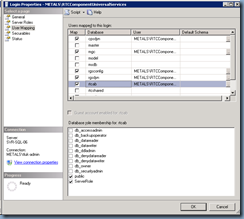
**Note that you should ignore the mgs database because that belongs to a Persistent Chat (the new Group Chat) deployment.
RTCHUniversalServices
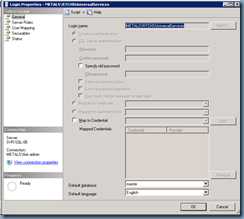
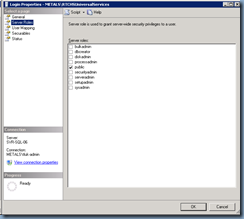
RTCUniversalReadOnlyAdmins
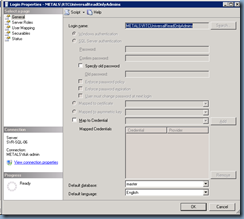
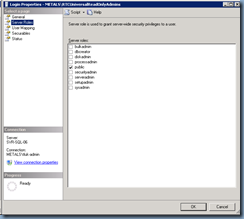
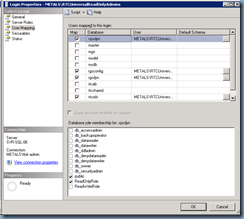
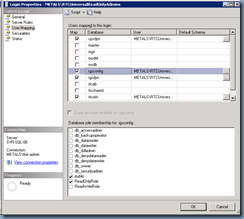
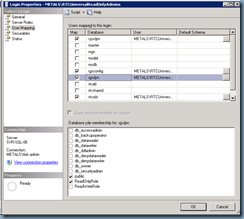
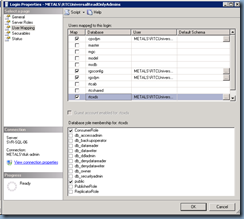
RTCUniversalServerAdmins
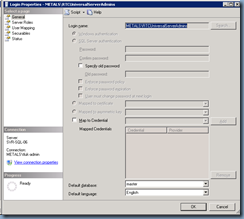
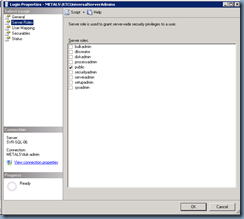
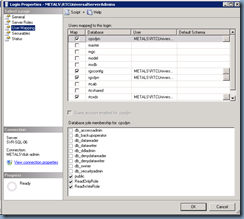
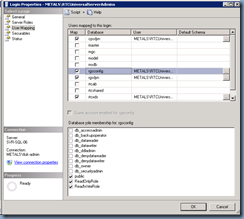
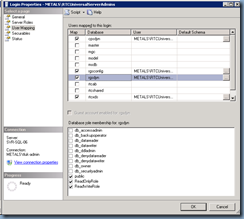
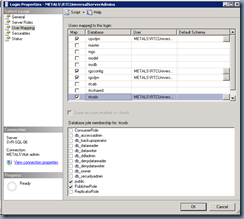
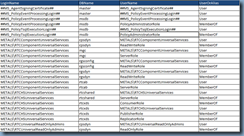
As I mentioned earlier, the method I usually use to perform a quick audit of databases is actually to execute the stored procedure: sp_helplogins which will allow me to quickly have a look at which account has what permissions. The following is what the tables look like when you execute the stored procedure:
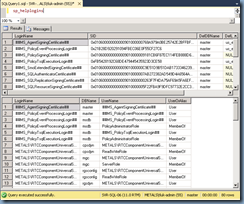
The table of interest in the 2 above is the second one at the bottom where it will list out all the services and their respective role membership. The following is the table copy and pasted into a table:
| LoginName | DBName | UserName | UserOrAlias |
| ##MS_AgentSigningCertificate## | master | ##MS_AgentSigningCertificate## | User |
| ##MS_PolicyEventProcessingLogin## | master | ##MS_PolicyEventProcessingLogin## | User |
| ##MS_PolicyEventProcessingLogin## | msdb | ##MS_PolicyEventProcessingLogin## | User |
| ##MS_PolicyEventProcessingLogin## | msdb | PolicyAdministratorRole | MemberOf |
| ##MS_PolicyTsqlExecutionLogin## | msdb | ##MS_PolicyTsqlExecutionLogin## | User |
| ##MS_PolicyTsqlExecutionLogin## | msdb | PolicyAdministratorRole | MemberOf |
| METALS\RTCComponentUniversalServices | cpsdyn | METALS\RTCComponentUniversalServices | User |
| METALS\RTCComponentUniversalServices | cpsdyn | ReadWriteRole | MemberOf |
| METALS\RTCComponentUniversalServices | mgc | METALS\RTCComponentUniversalServices | User |
| METALS\RTCComponentUniversalServices | mgc | ServerRole | MemberOf |
| METALS\RTCComponentUniversalServices | rgsconfig | METALS\RTCComponentUniversalServices | User |
| METALS\RTCComponentUniversalServices | rgsconfig | ReadWriteRole | MemberOf |
| METALS\RTCComponentUniversalServices | rgsdyn | METALS\RTCComponentUniversalServices | User |
| METALS\RTCComponentUniversalServices | rgsdyn | ReadWriteRole | MemberOf |
| METALS\RTCComponentUniversalServices | rtcab | METALS\RTCComponentUniversalServices | User |
| METALS\RTCComponentUniversalServices | rtcab | ServerRole | MemberOf |
| METALS\RTCHSUniversalServices | rtcshared | METALS\RTCHSUniversalServices | User |
| METALS\RTCHSUniversalServices | rtcshared | ServerRole | MemberOf |
| METALS\RTCHSUniversalServices | rtcxds | ConsumerRole | MemberOf |
| METALS\RTCHSUniversalServices | rtcxds | METALS\RTCHSUniversalServices | User |
| METALS\RTCHSUniversalServices | rtcxds | PublisherRole | MemberOf |
| METALS\RTCHSUniversalServices | rtcxds | ReplicatorRole | MemberOf |
| METALS\RTCUniversalReadOnlyAdmins | cpsdyn | METALS\RTCUniversalReadOnlyAdmins | User |
| METALS\RTCUniversalReadOnlyAdmins | cpsdyn | ReadOnlyRole | MemberOf |
| METALS\RTCUniversalReadOnlyAdmins | rgsconfig | METALS\RTCUniversalReadOnlyAdmins | User |
| METALS\RTCUniversalReadOnlyAdmins | rgsconfig | ReadOnlyRole | MemberOf |
| METALS\RTCUniversalReadOnlyAdmins | rgsdyn | METALS\RTCUniversalReadOnlyAdmins | User |
| METALS\RTCUniversalReadOnlyAdmins | rgsdyn | ReadOnlyRole | MemberOf |
| METALS\RTCUniversalReadOnlyAdmins | rtcxds | ConsumerRole | MemberOf |
| METALS\RTCUniversalReadOnlyAdmins | rtcxds | METALS\RTCUniversalReadOnlyAdmins | User |
| METALS\RTCUniversalServerAdmins | cpsdyn | METALS\RTCUniversalServerAdmins | User |
| METALS\RTCUniversalServerAdmins | cpsdyn | ReadWriteRole | MemberOf |
| METALS\RTCUniversalServerAdmins | rgsconfig | METALS\RTCUniversalServerAdmins | User |
| METALS\RTCUniversalServerAdmins | rgsconfig | ReadWriteRole | MemberOf |
| METALS\RTCUniversalServerAdmins | rgsdyn | METALS\RTCUniversalServerAdmins | User |
| METALS\RTCUniversalServerAdmins | rgsdyn | ReadWriteRole | MemberOf |
| METALS\RTCUniversalServerAdmins | rtcxds | METALS\RTCUniversalServerAdmins | User |
| METALS\RTCUniversalServerAdmins | rtcxds | PublisherRole | MemberOf |
| sa | cpsdyn | db_owner | MemberOf |
| sa | cpsdyn | dbo | User |
| sa | master | db_owner | MemberOf |
| sa | master | dbo | User |
| sa | mgc | db_owner | MemberOf |
| sa | mgc | dbo | User |
| sa | model | db_owner | MemberOf |
| sa | model | dbo | User |
| sa | msdb | db_owner | MemberOf |
| sa | msdb | dbo | User |
| sa | rgsconfig | db_owner | MemberOf |
| sa | rgsconfig | dbo | User |
| sa | rgsdyn | db_owner | MemberOf |
| sa | rgsdyn | dbo | User |
| sa | rtcab | db_owner | MemberOf |
| sa | rtcab | dbo | User |
| sa | rtcshared | db_owner | MemberOf |
| sa | rtcshared | dbo | User |
| sa | rtcxds | db_owner | MemberOf |
| sa | rtcxds | dbo | User |
| sa | tempdb | db_owner | MemberOf |
| sa | tempdb | dbo | User |
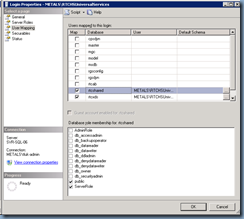
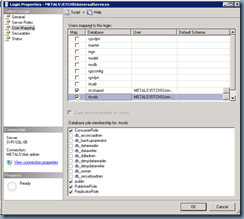
If you’re not familiar with the table and the cells, try reconciling it with the following examples:
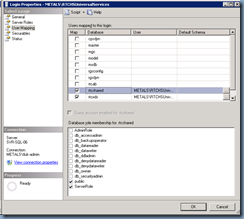
Notice how I opened up the User Mapping for the account RTCUniversalServices under the database rtcshared and you see how only ServerRole was checked?
Hope this helps anyone that may come across a problem where their Lync Server 2013 front-end pool’s database permissions has been tampered with or modified unintentionally and needs to reference default settings.