Environment:
NetScaler VPX Version: NS10.1: Build 121.10.nc, Date: Oct 18 2013, 10:25:05

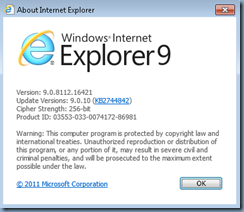
Internet Explorer Version: 9.0.8112.16421
Java Version: Java 7 Update 45

--------------------------------------------------------------------------------------------------------------------------------------------------------------------
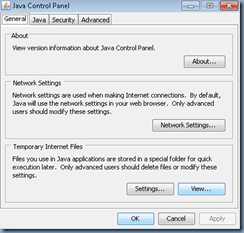
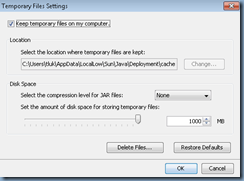
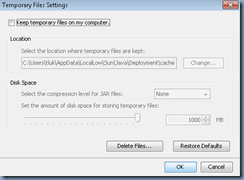
I don’t think I’ve ever been as frustrated with web administration consoles that are browser based and rely on Java as the NetScaler VPX appliance, Compellent and Cisco UCS. Earlier versions of Java last year was easily to fix as all you needed to do was uncheck the Keep temporary files on my computer then delete the files:
… but the later versions with the error:
Downloading Applet…
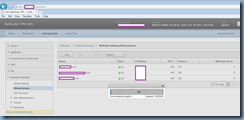
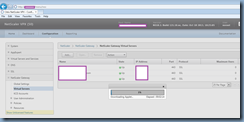
… then after being stuck at 1% for a period of time, the following is presented:
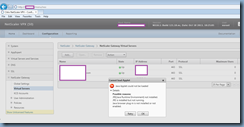
Cannot load Applet
Java Applet could not be loaded
Details
Possible reasons:
JRE(Java Runtime Environment) not installed.
JRE is installed but not running.
Java browser plug-in is not installed or not enabled.
I’ve gone on to try disabling verification as some forums suggested:
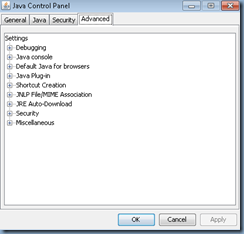
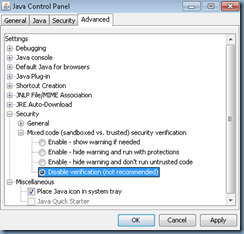
… or looking for the security option to switch to a lower medium level which does not appear to be present for the latest Java version I downloaded today (December 8, 2013).
After spending over 30 minutes researching solutions which non corrected the issue, I went ahead and tried Google Chrome 31.0.1650.64 which ended up working.
Not exactly the best solution but it was enough for me as all I wanted was to make a small change to the NetScaler VPX appliance.