To follow up with my previous post:
Connecting to Citrix XenDesktop 5.6 virtual desktops through a Web Interface configured with pass-through authentication fails after flashing a black screen
http://terenceluk.blogspot.com/2013/11/connecting-to-citrix-xendesktop-56.html
I finally found some time over the weekend to sit down and perform some uninterrupted troubleshooting to determine the root cause of why the environment’s pass-through authentication worked for authenticating the user through the Web Interface portal but does not work when launching an application where it would display the following prompt:
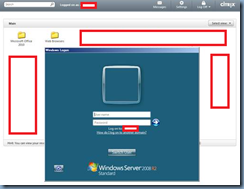
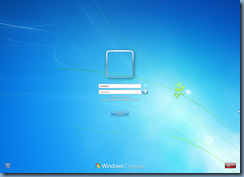
… or while launching a XenDesktop VDI (with the help of the registry key to disable enforce auto logon):
What ended up being the issue after combing through the configuration as I referenced an older blog post I wrote:
Lessons learned with Citrix Web Interface 4.6 Pass-Through Authentication
http://terenceluk.blogspot.com/2012/01/lessons-learned-with-citrix-web.html
… was that the Active Directory GPO with the Citrix pass-through authentication only had the ComputerConfiguration portion configured:
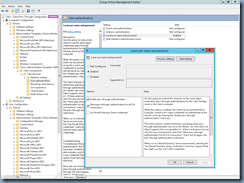
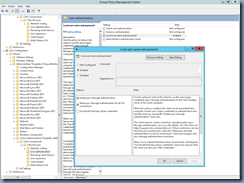
… but not the User Configuration. Once I got the User Configuration portion configured, pass-through authentication began functioning as it should:
Hope this helps anyone out there who may come across the same symptoms in their environment.