Problem
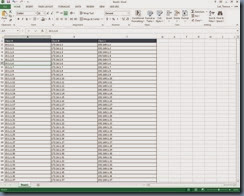
You notice that your virtual desktops in your Citrix XenDesktop 5.6 infrastructure exhibits extremely slow, jerky or lag when scrolling Excel 2013 spreadsheets. You’ve tried installing the latest 5.6.300 VDA agent as well as the 7.0 and 7.1 VDA agents but it does not improve the performance. Scrolling in a spreadsheet with rolls extending past the visible screen clearly lags in the sense that you can scroll up and down 3 or 4 times yet the spreadsheet doesn’t scroll until a few seconds later where it seemingly decides to take the last scroll input (i.e: you scroll up 5 times and down 6 times but only the last scroll downwards is captured):
Solution
I’m not sure if it’s the string I used to search for this issue but the returned results on Google did not point me to the following KB that had a solution to my issue:
Office 2013 Video Performance Issues with XenDesktop VDA
http://support.citrix.com/article/CTX139236
To fix this scrolling issue, simply click on the File tab in Excel:
![clip_image002[5]](http://lh6.ggpht.com/-tHTWlPrL-Jo/UoKHyQZmY8I/AAAAAAAAgD0/rW4erqYPjZk/clip_image002%25255B5%25255D_thumb%25255B1%25255D.jpg?imgmax=800 "clip_image002[5]")
Selection Options:
![clip_image002[7]](http://lh5.ggpht.com/-OryjEswOlTA/UoKHz5RjjkI/AAAAAAAAgEA/aizrop-SoTM/clip_image002%25255B7%25255D_thumb%25255B1%25255D.jpg?imgmax=800 "clip_image002[7]")
Click on the Advanced button:
![clip_image002[9]](http://lh4.ggpht.com/-BFsudKg2w6U/UoKH1H1BpCI/AAAAAAAAgEQ/i4YdYB4QquI/clip_image002%25255B9%25255D_thumb%25255B1%25255D.jpg?imgmax=800 "clip_image002[9]")
Scroll down to the Display area and enable (check the checkbox) of Disable hardware graphics acceleration:
![clip_image002[11]](http://lh4.ggpht.com/-n0LvwKKo2Rk/UoKH2XT0kBI/AAAAAAAAgEg/Tpsdy8-b2h4/clip_image002%25255B11%25255D_thumb%25255B1%25255D.jpg?imgmax=800 "clip_image002[11]")
![clip_image002[13]](http://lh6.ggpht.com/-kd6FKBOTYJ4/UoKH35ccJEI/AAAAAAAAgEw/uIzKCkGPFDA/clip_image002%25255B13%25255D_thumb%25255B1%25255D.jpg?imgmax=800 "clip_image002[13]")
Alternatively, you can either create a GPO and apply it to the user account or create a GPO and apply it to the VDI computer account with Loopback set to merge. The following is where the registry is located:
HKEY_CURRENT_USER\Software\Microsoft\Office\15.0\Common\Graphics
![clip_image002[15]](http://lh6.ggpht.com/-CICJO6RXEZs/UoKH5I-T-VI/AAAAAAAAgFA/Hp0DZ7Fx404/clip_image002%25255B15%25255D_thumb%25255B1%25255D.jpg?imgmax=800 "clip_image002[15]")
**Note the DisableHardwareAcceleration DWORD
![clip_image002[17]](http://lh4.ggpht.com/-BuCN0IKKkV0/UoKH6XwgirI/AAAAAAAAgFQ/R1HFBK0FkP8/clip_image002%25255B17%25255D_thumb%25255B1%25255D.jpg?imgmax=800 "clip_image002[17]")
The following is what a GPO updating this registry would look like:
Key Path: Software\Microsoft\Office\15.0\Common\Graphics
Value Name: DisableHardwareAcceleration
Value type: REG_DWORD
Value: 1
![clip_image002[19]](http://lh4.ggpht.com/-gIt_bzmSctU/UoKH8Ko9mlI/AAAAAAAAgFg/__GemjOEkgc/clip_image002%25255B19%25255D_thumb%25255B1%25255D.jpg?imgmax=800 "clip_image002[19]")
![clip_image002[21]](http://lh6.ggpht.com/-ndRsmlbbIZg/UoKH9W9uIFI/AAAAAAAAgFw/MpSl72WMFoA/clip_image002%25255B21%25255D_thumb%25255B1%25255D.jpg?imgmax=800 "clip_image002[21]")